Product, operators, architecture, engineering, and commercial packaging — organised in chapters. Jump with the left rail, the chapter index, or keys 1–5.
Exec / Product / Sales
Operators
Architects
Software
Commercial
How to use this deck
Pick the chapter for your audience
Chapter A
Executive & Product
Why this exists, what it delivers, and why it matters for the Suite and operators.
Leadership
Product
Sales
A1 · The problem
Announcements are still tied to the vehicle box
Today
Content changes = firmware / field visits
Voice quality capped by onboard hardware
Hard to prove what a passenger heard
Signs and audio often separate workflows
CreatorStudio answer
One authoring tool + always-on engine
Vehicles stay thin MQTT clients
Cloud AI speech + fleet phrase cache
Proof-of-play + Matrix LED in one Publish
A2 · Capabilities
Six things, one platform
AUTHOR
Playlists
Text, {vars}, pauses, clips — browser authoring.
TRIGGER
33 + custom
Built-in transit events, fact logic, geofences.
SPEAK
AI TTS
Azure · ElevenLabs · Acapela · fleet cache.
SHOW
Matrix LED
Layouts, FNT, Ultima faces, mono/RGB FF.
PROVE
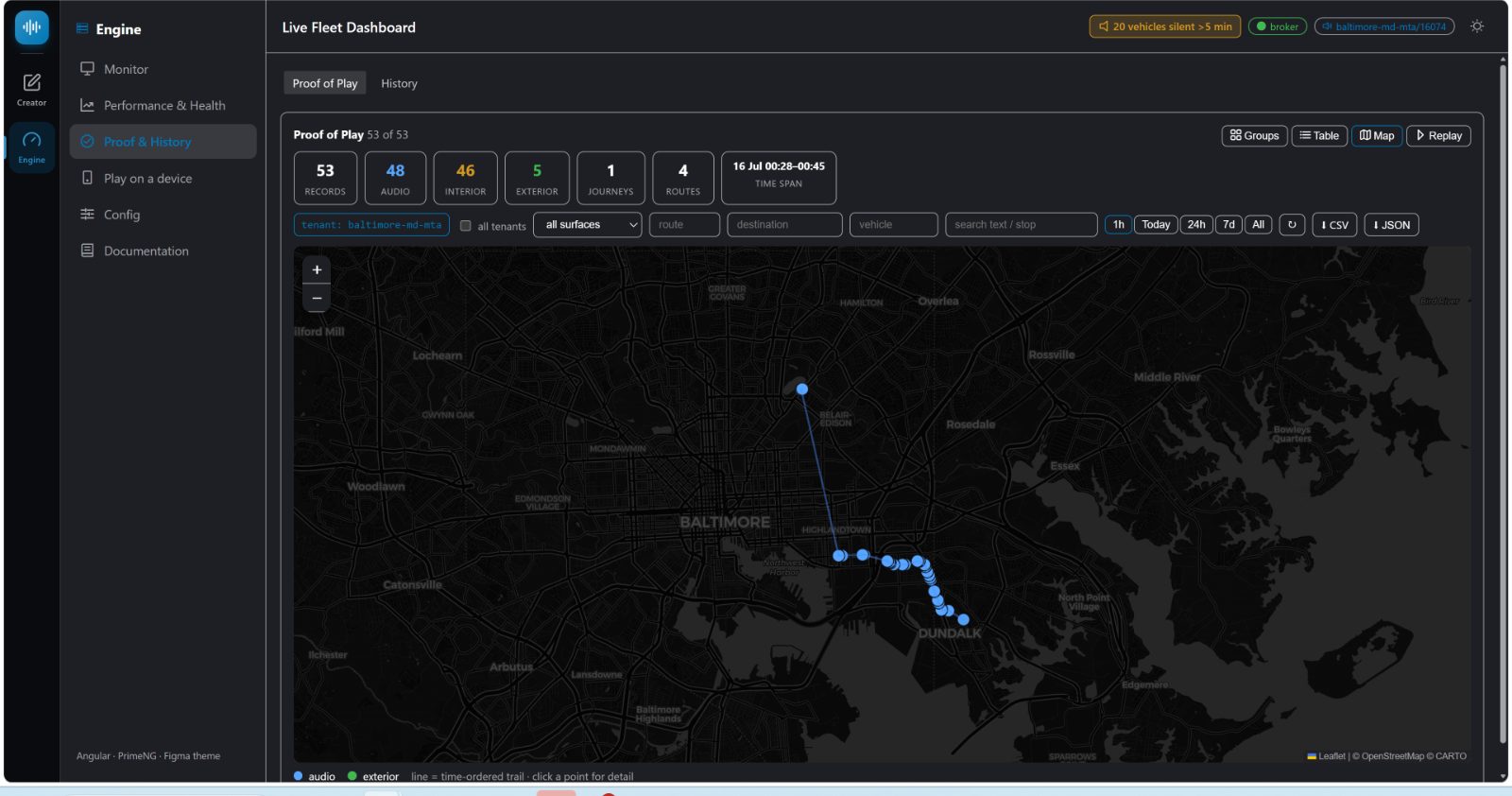
Proof of play
Dispatched vs confirmed — exportable evidence.
OPERATE
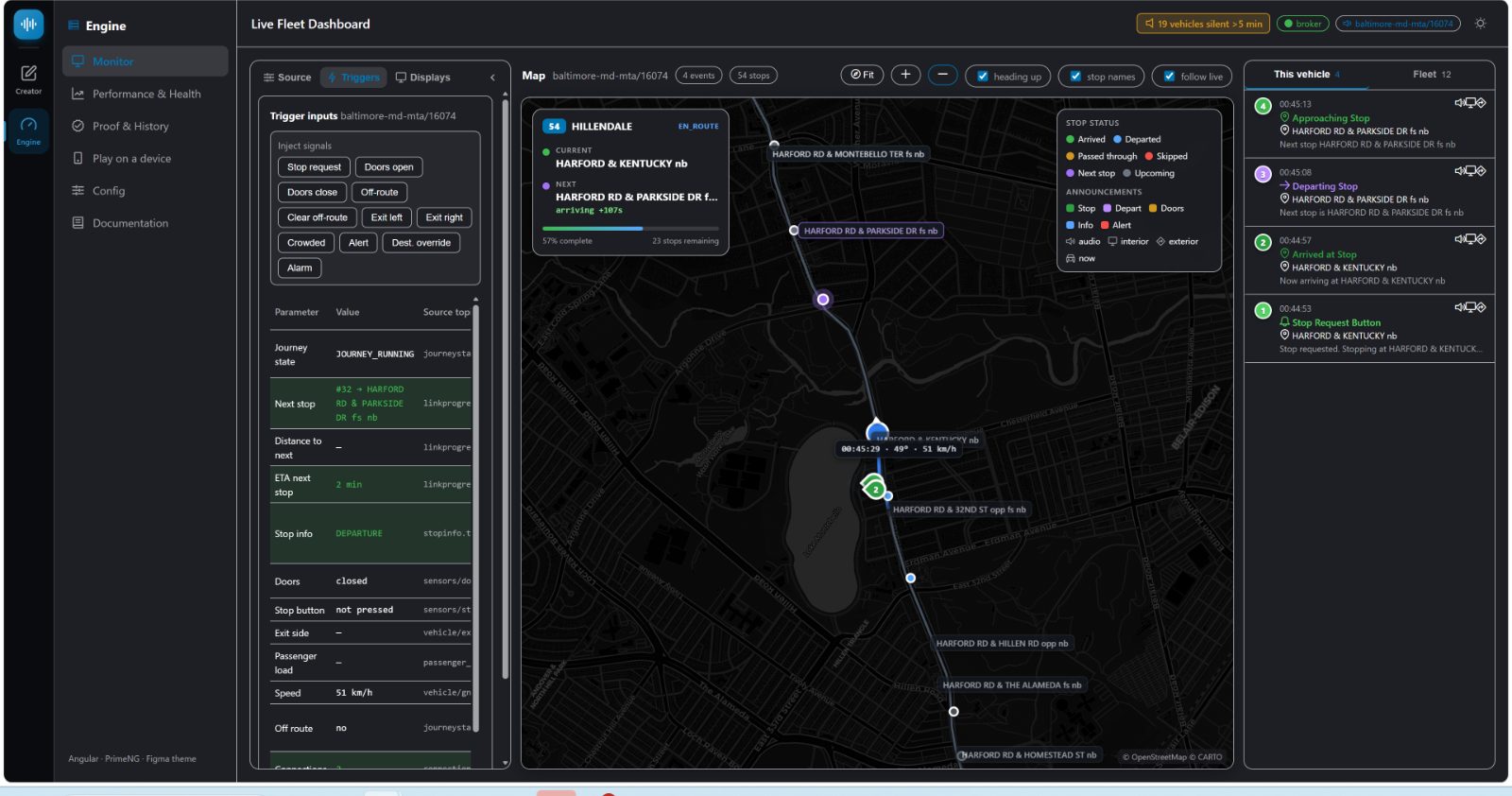
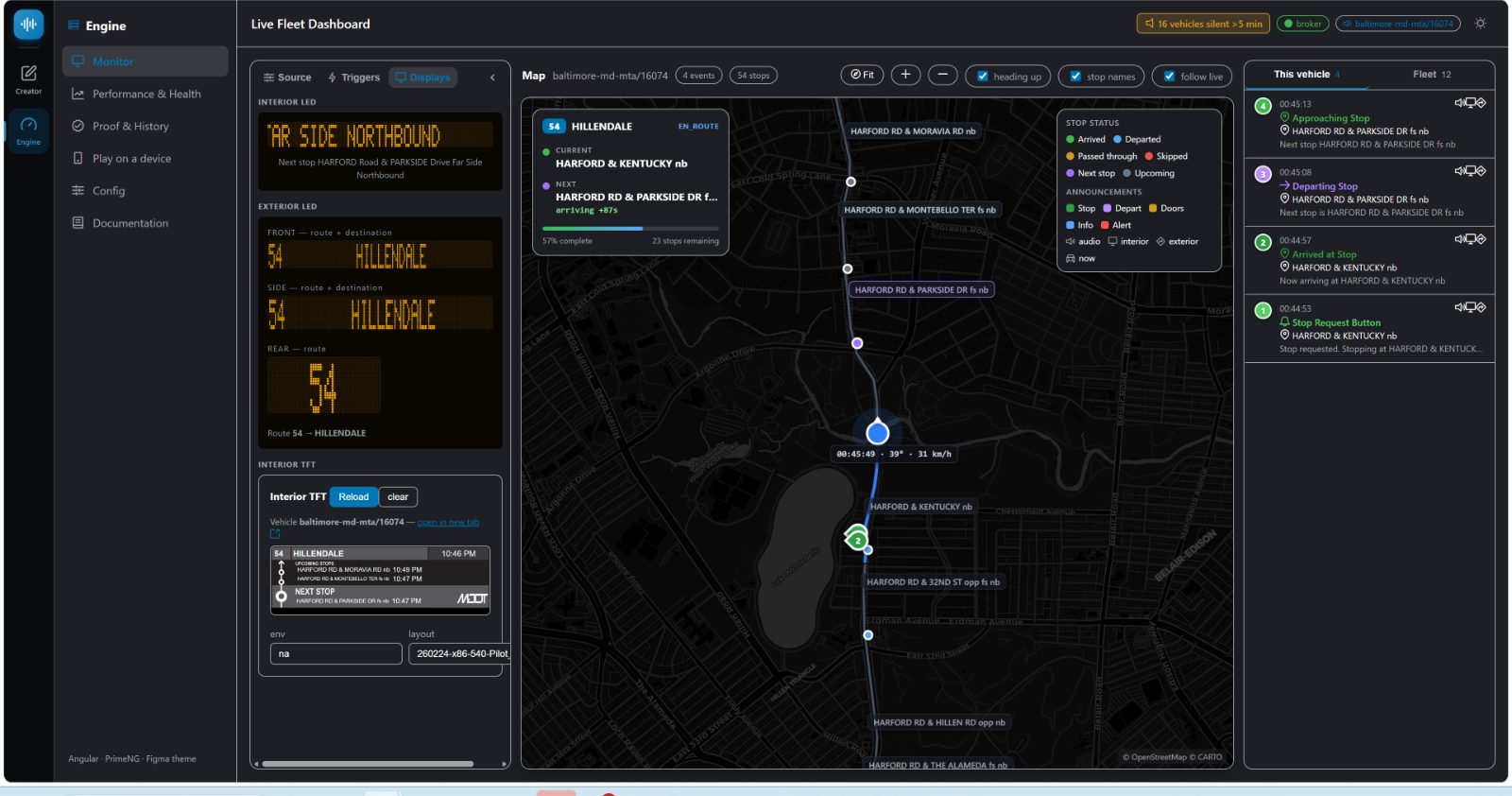
Live cockpit
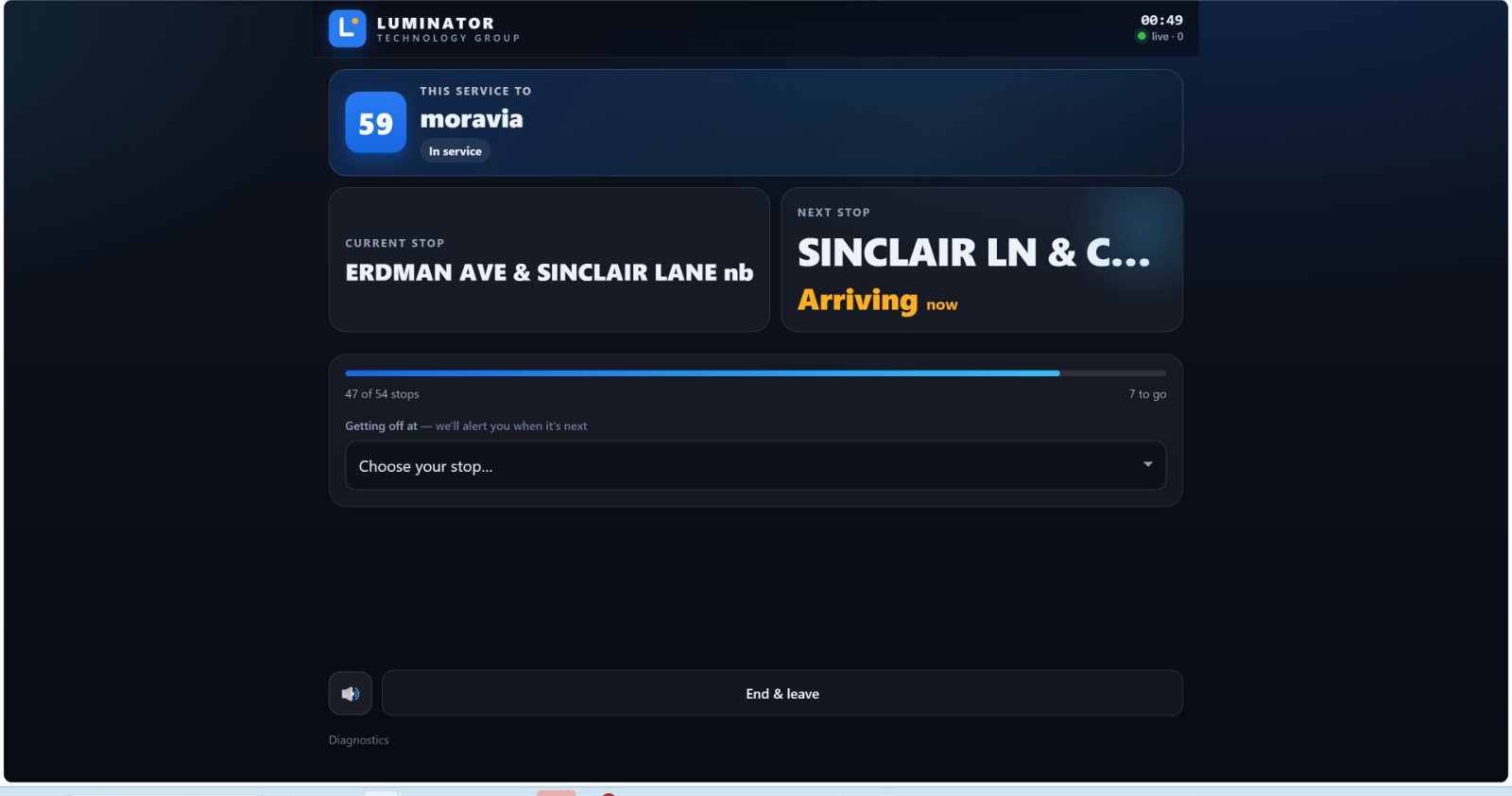
Map, feed, health, simulator, passenger app.
A3 · Suite surfaces
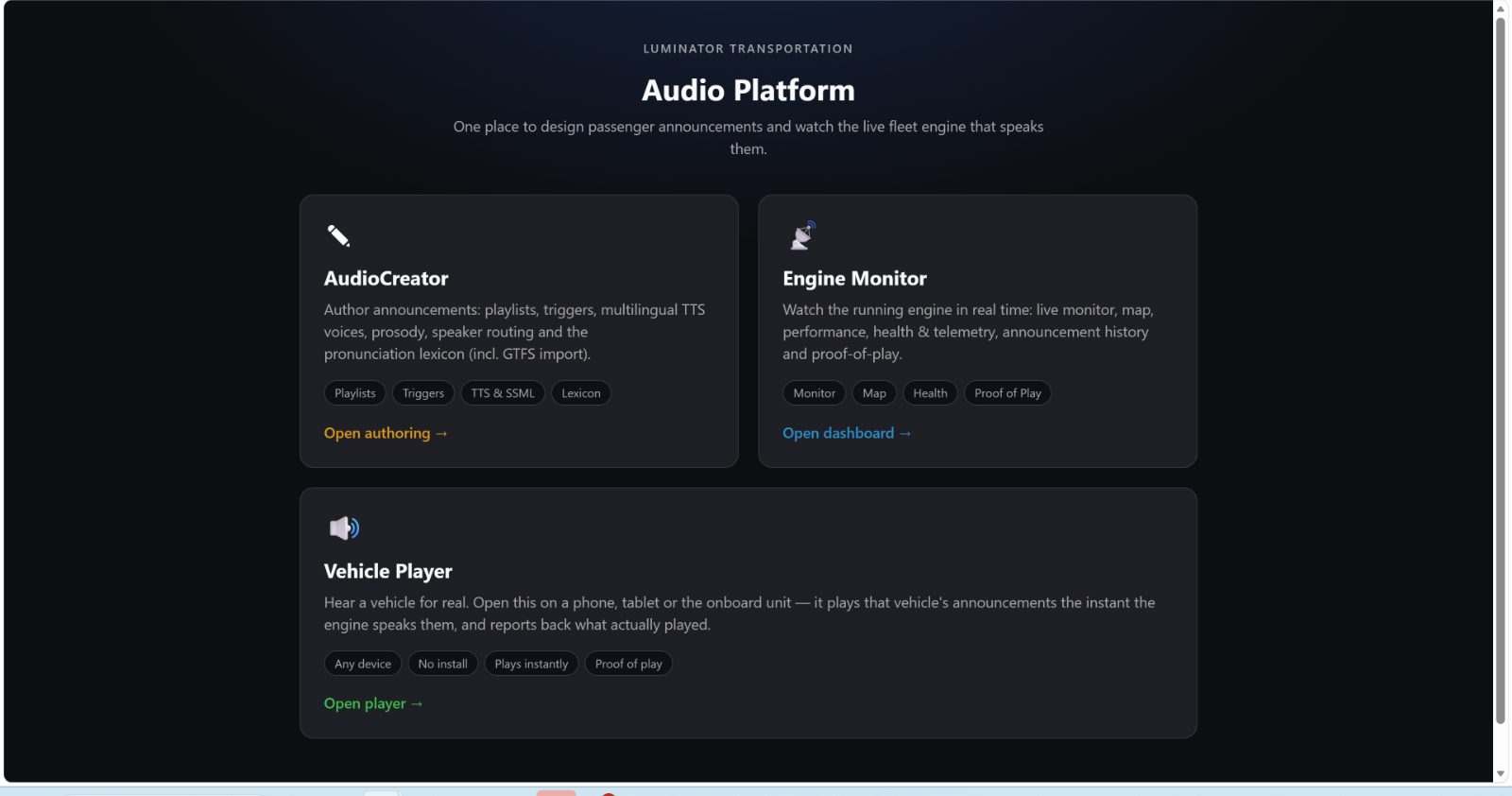
Three apps, one portal
CreatorStudio — author announcements & LED
Engine Monitor — watch, prove, diagnose
Vehicle Player — any device as thin client
MQTT broker is the integration hub — topics are the API.
A4 · Outcomes
Why stakeholders care
Compliance you can prove
ADA / accessibility evidence with place, time, transcript.
Fleet content velocity
Publish → live in ~1 s. No per-vehicle reflash.
Suite attach
Software ARR next to Matrix / Ultima hardware.
Deploy anywhere
Cloud for the operator or edge container on the bus.
~1 s
Publish → fleet
2,000
veh / engine process*
≈2 ms
cache-hit render
9
license modules
*Measured planning figure — see ARCHITECTURE.md scaling section.
Chapter B
Operators & Experience
What people use day to day — authoring, monitoring, proof, and the passenger screen.
Operations
Training
CX
B1 · Authoring
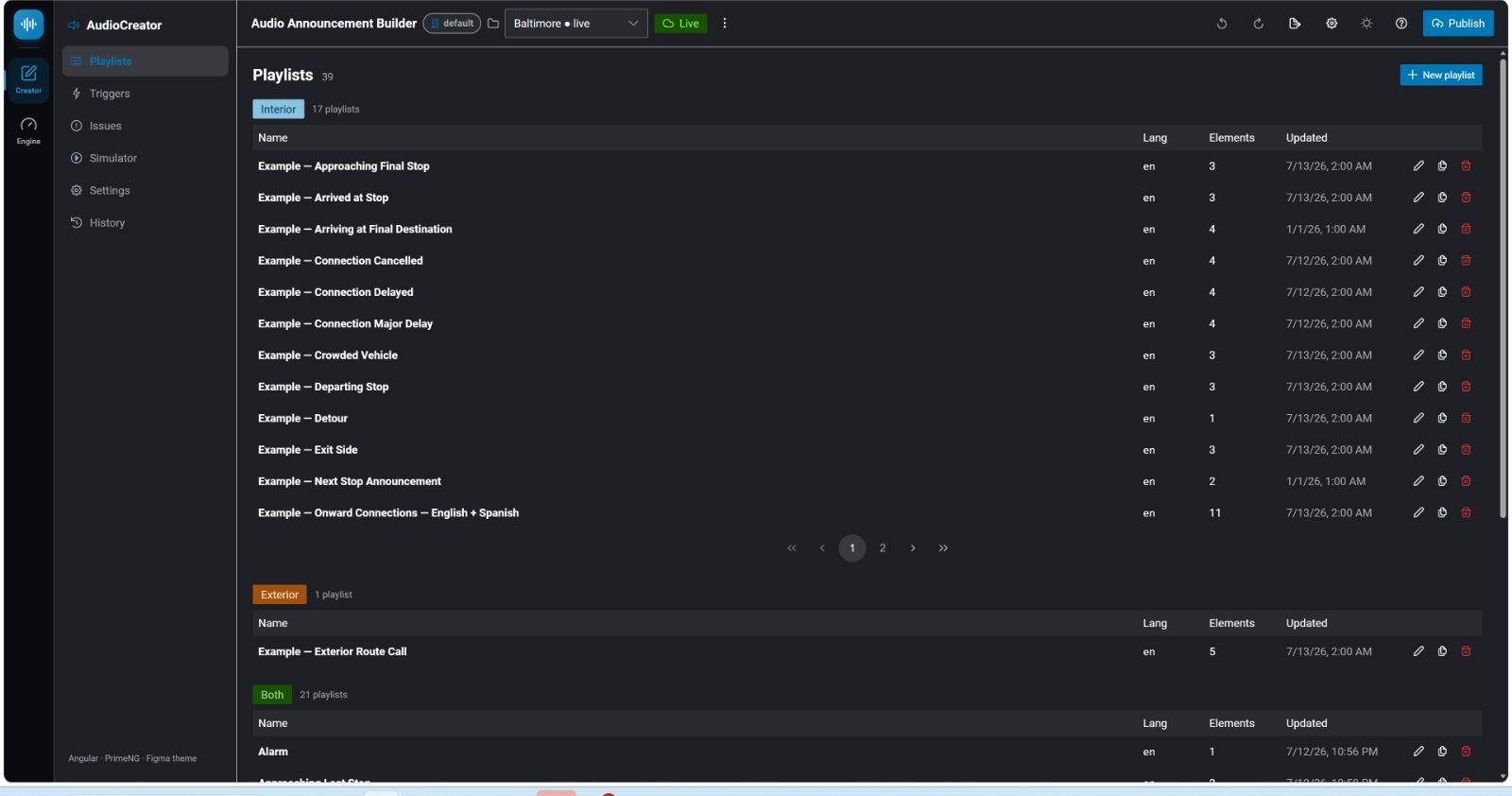
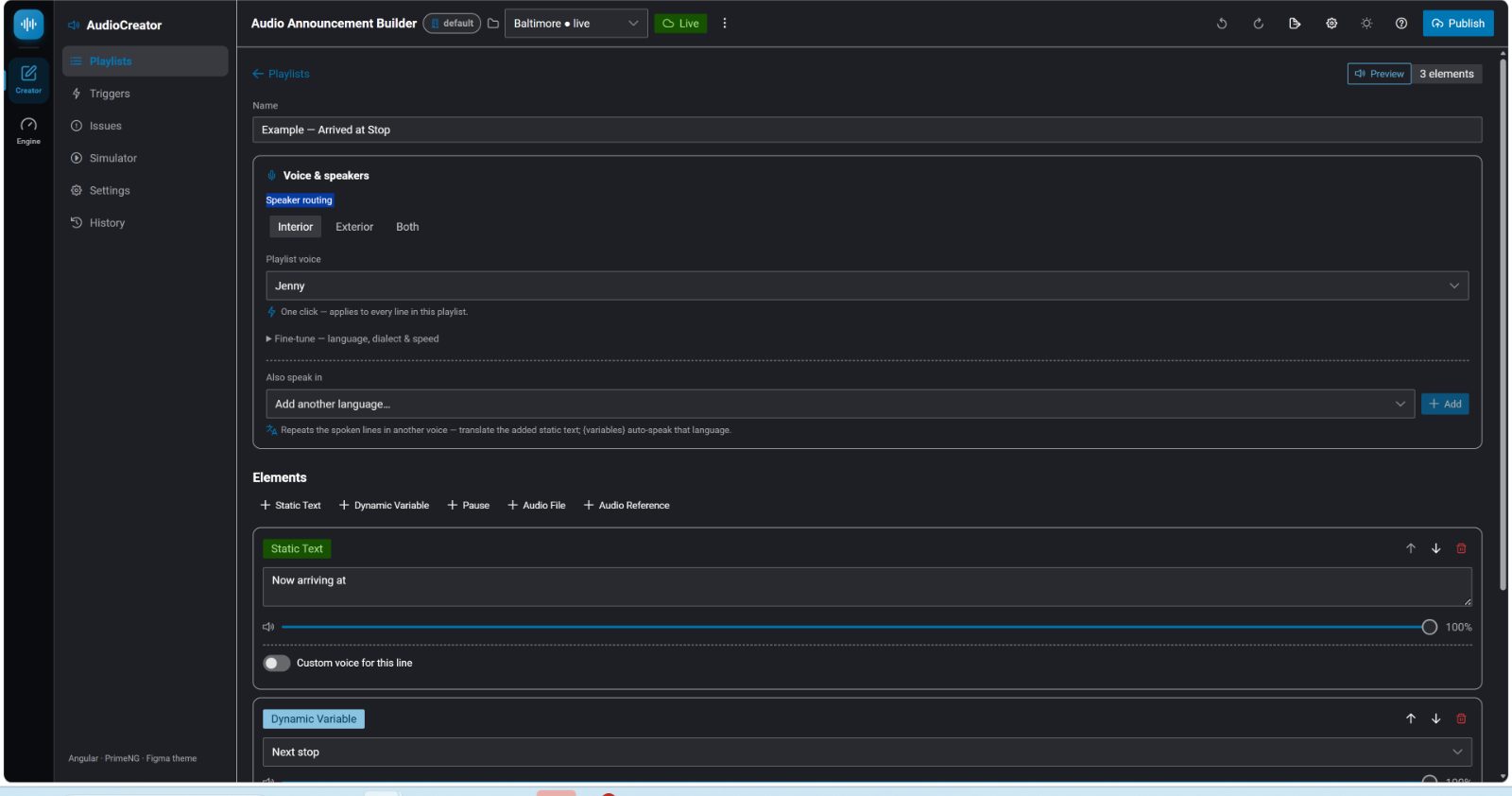
Design what the fleet says
Playlist library
Editor — text, variables, voice, “also speak in”
B2 · Triggers
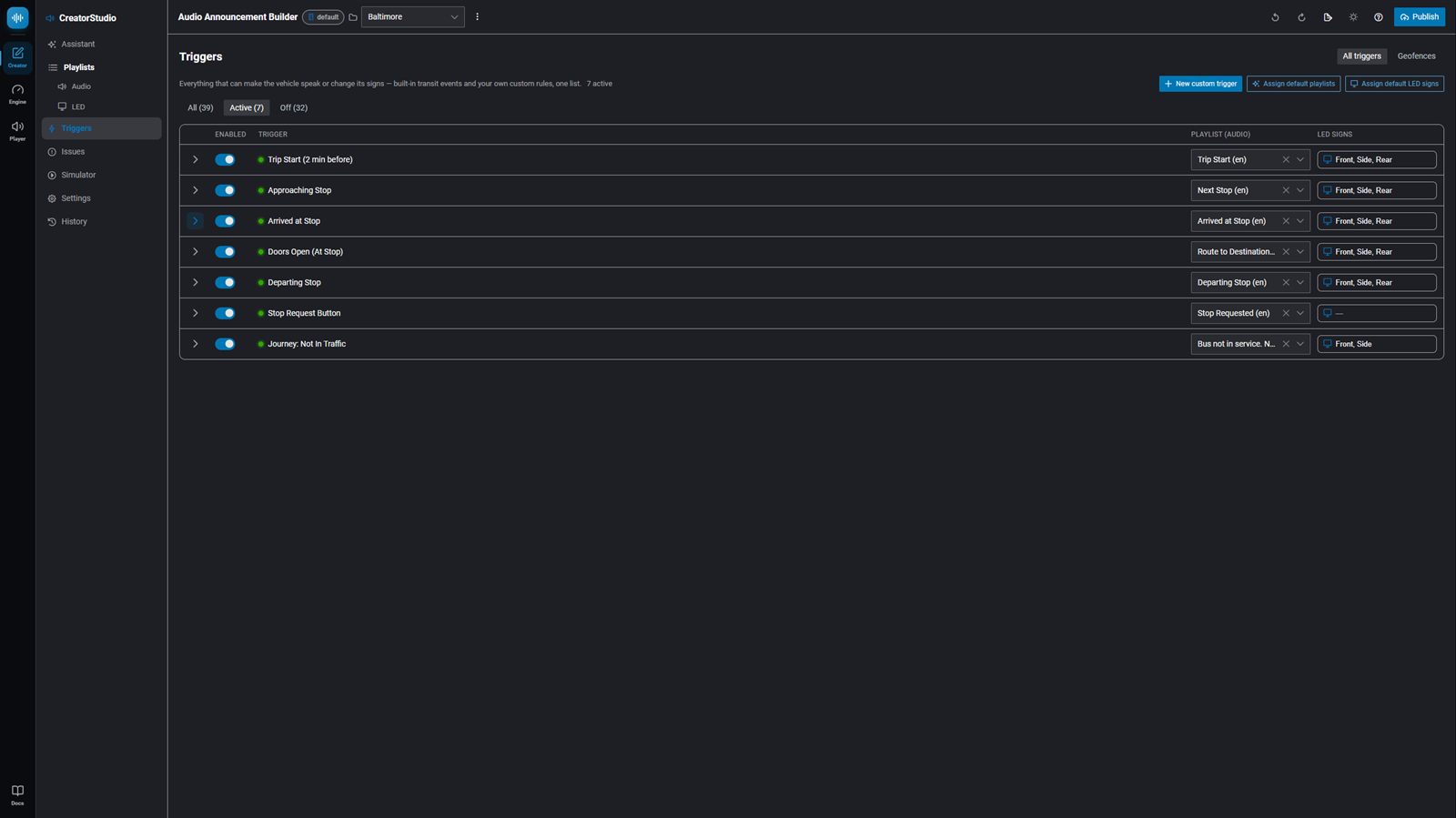
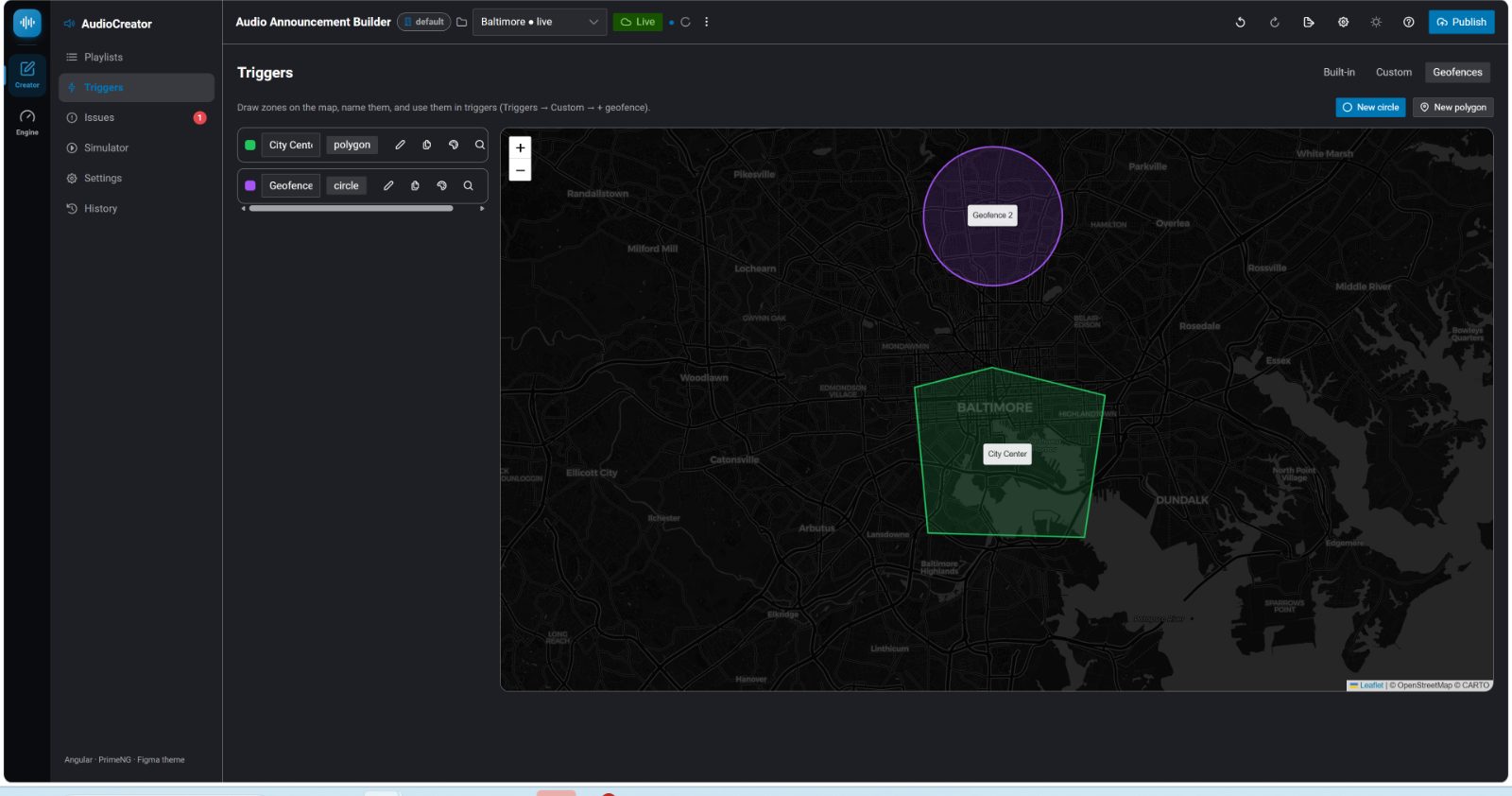
When it speaks — built-in, custom, geofenced
33 built-in transit triggers
Geofence zones as conditions
B3 · Voices & simulation
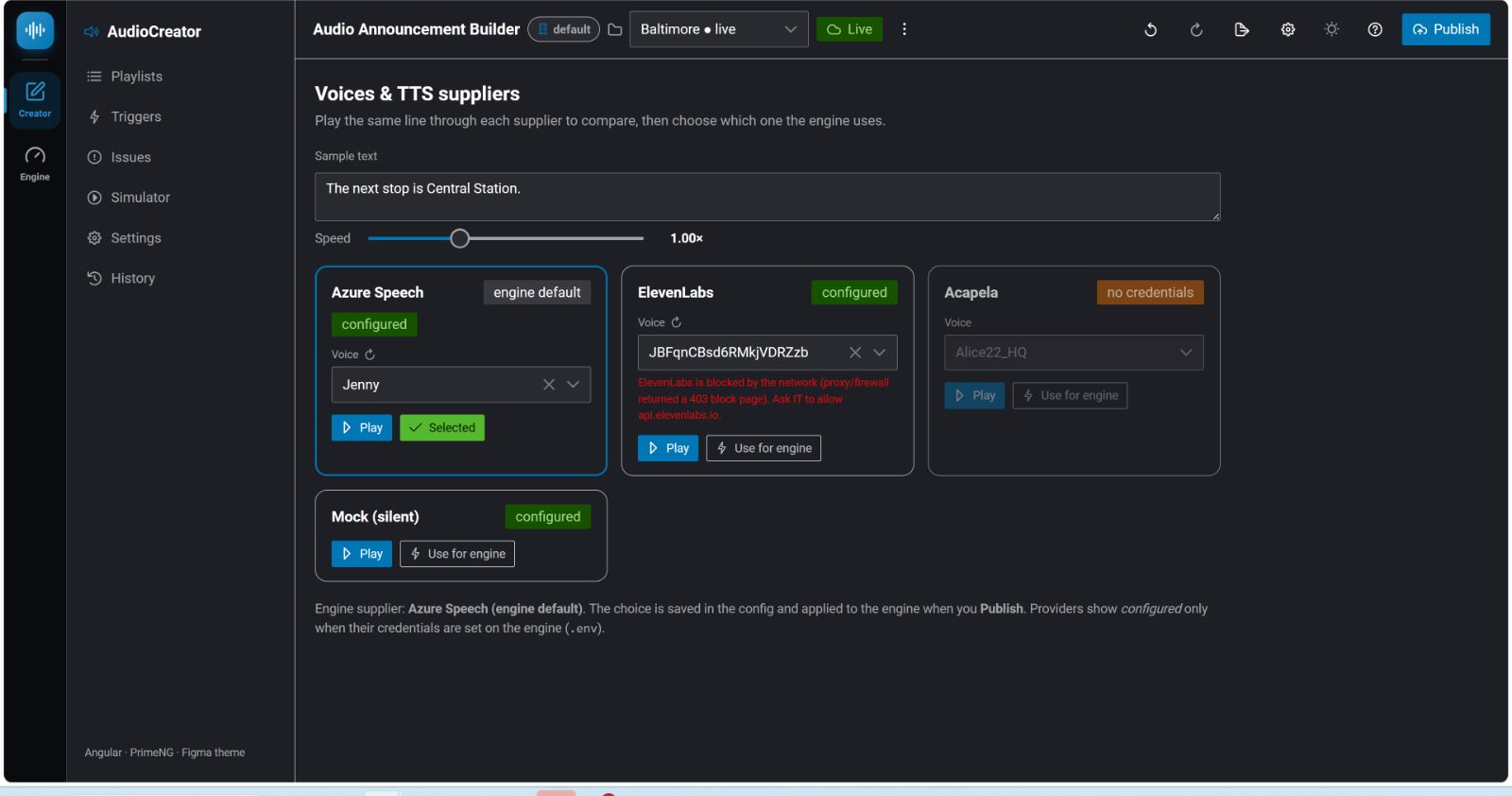
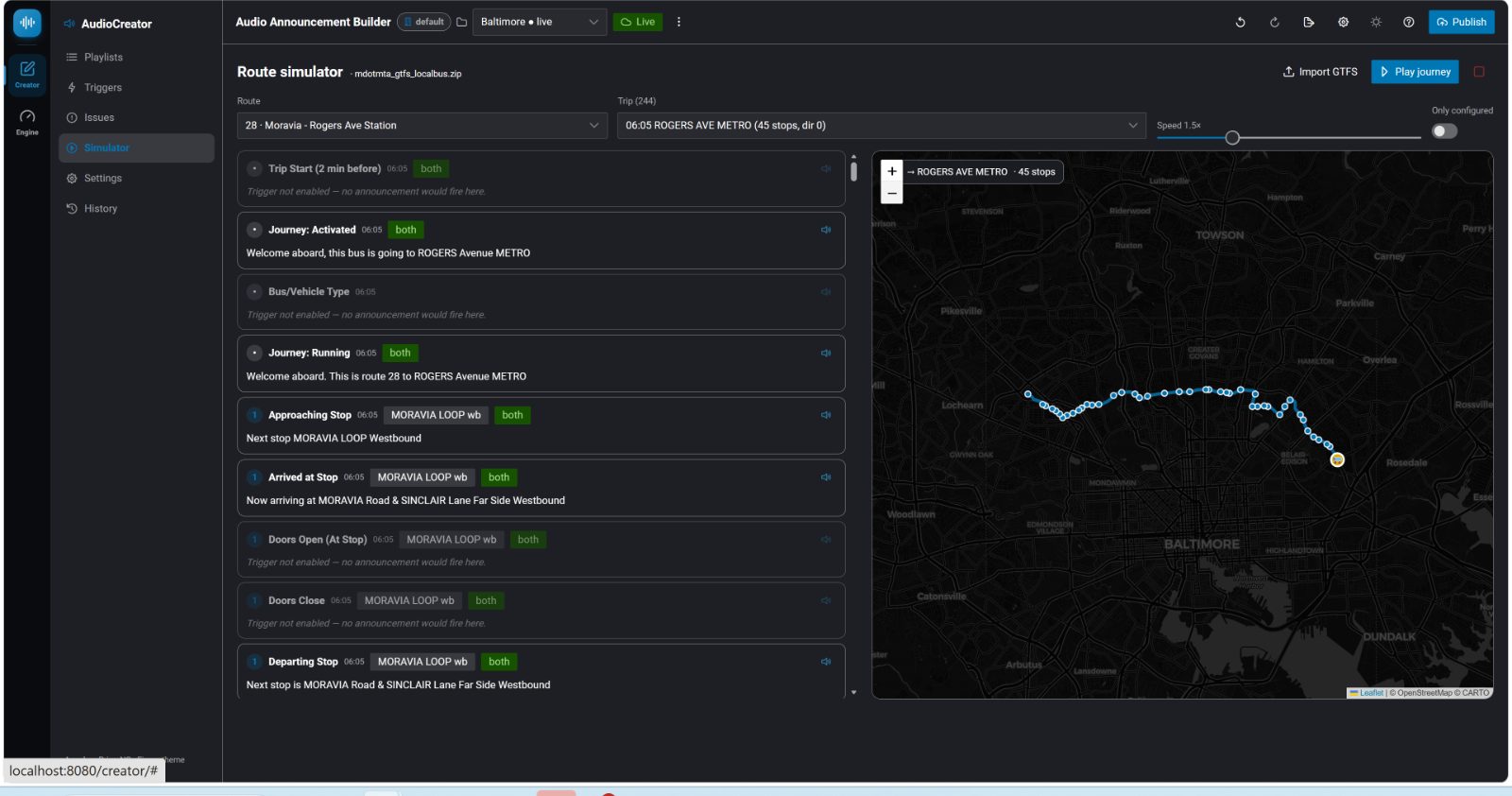
Pick a voice · test before the bus
Azure · ElevenLabs · Acapela A/B
GTFS route simulator
B4 · Live operations
Fleet cockpit & signs
Heading-up map + event feed
LED / destination / TFT preview
B5 · Proof & passenger
Evidence and the rider screen
Proof-of-play on the map
Browser passenger information app
Chapter C
Architecture & Integration
How the system fits together — for architects and vehicle / Suite integrators.